Ad blockers · Buyer's guide
The best ad blockers in 2026
Ads don't just clutter your screen — they track you, slow pages down and eat mobile data. We compared the leading ad blockers on what actually matters: how much they block, whether they respect your privacy, their effect on speed, and price. Here's what to install.
From $2.49/mo · pay-once option · 30-day money-back guarantee
Last updated: July 10, 2026 · Browser extensions tested by the Privacy Intact team with our automated harness (June 8, 2026); apps, DNS and mobile assessed from research, not device-tested.
Our verdict at a glance
Best for most people
AdGuard
System-wide blocking on every platform, easy to run.
Best free option
uBlock Origin
Outstanding in-browser blocking on desktop, $0.
Best for the whole home
AdGuard DNS
Network-level blocking for every device at once.
In our browser test the free uBlock Origin actually out-blocked AdGuard's free extension (96 vs 77). We still make AdGuard our top pick — for the one reason that matters to most people: unlike a browser extension like uBlock, the AdGuard app blocks beyond the browser, on your phone and in other apps.
What our in-browser test showed
For the two blockers we could measure directly — AdGuard's free extension and uBlock Origin — we ran AdBlock Tester (adblock-tester.com) in Microsoft Edge (headless), each blocker in default config, 30-second filter-list warm-up, identical pages, on June 8, 2026. Higher is better, and the free option blocked the most:
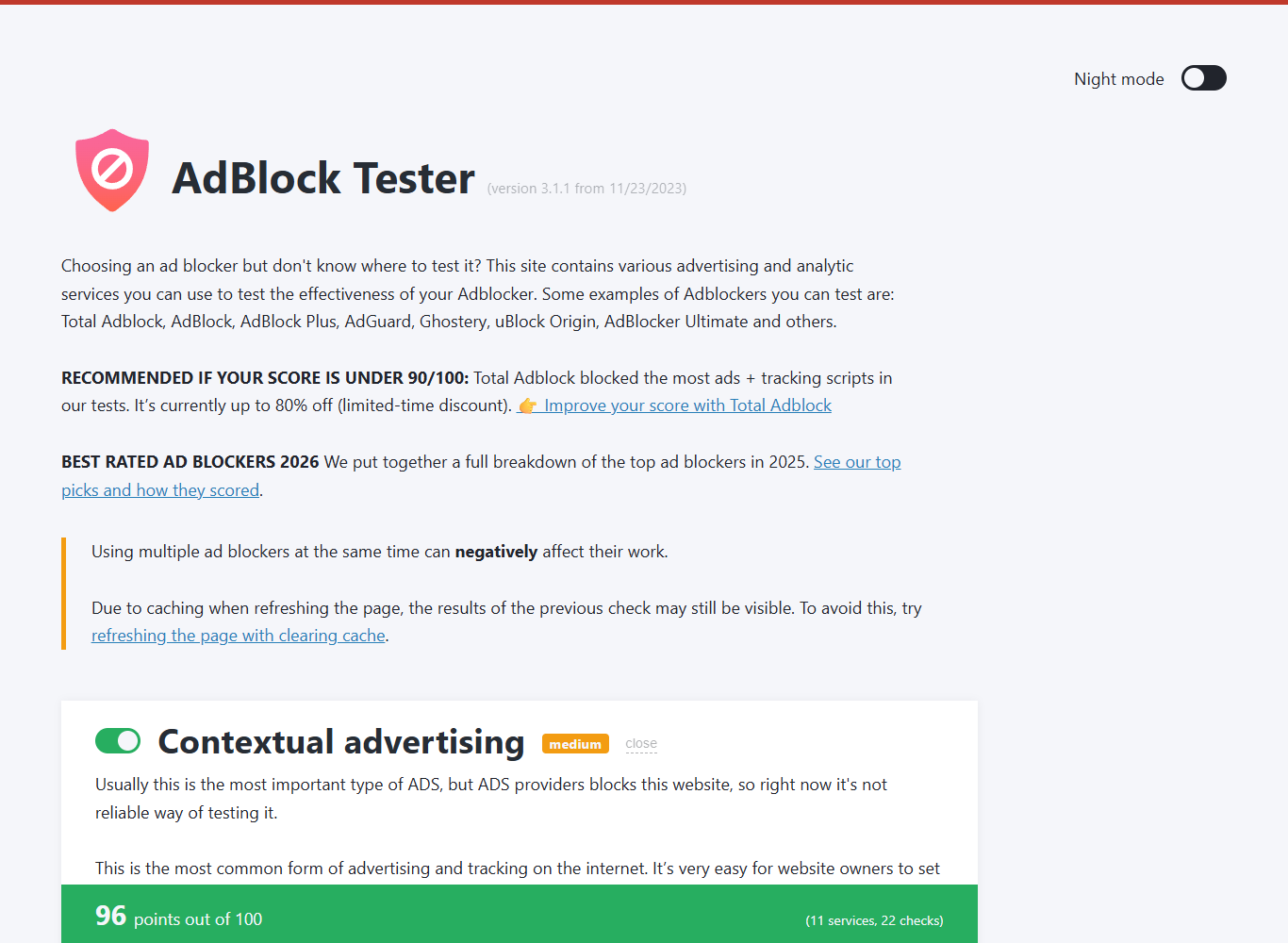
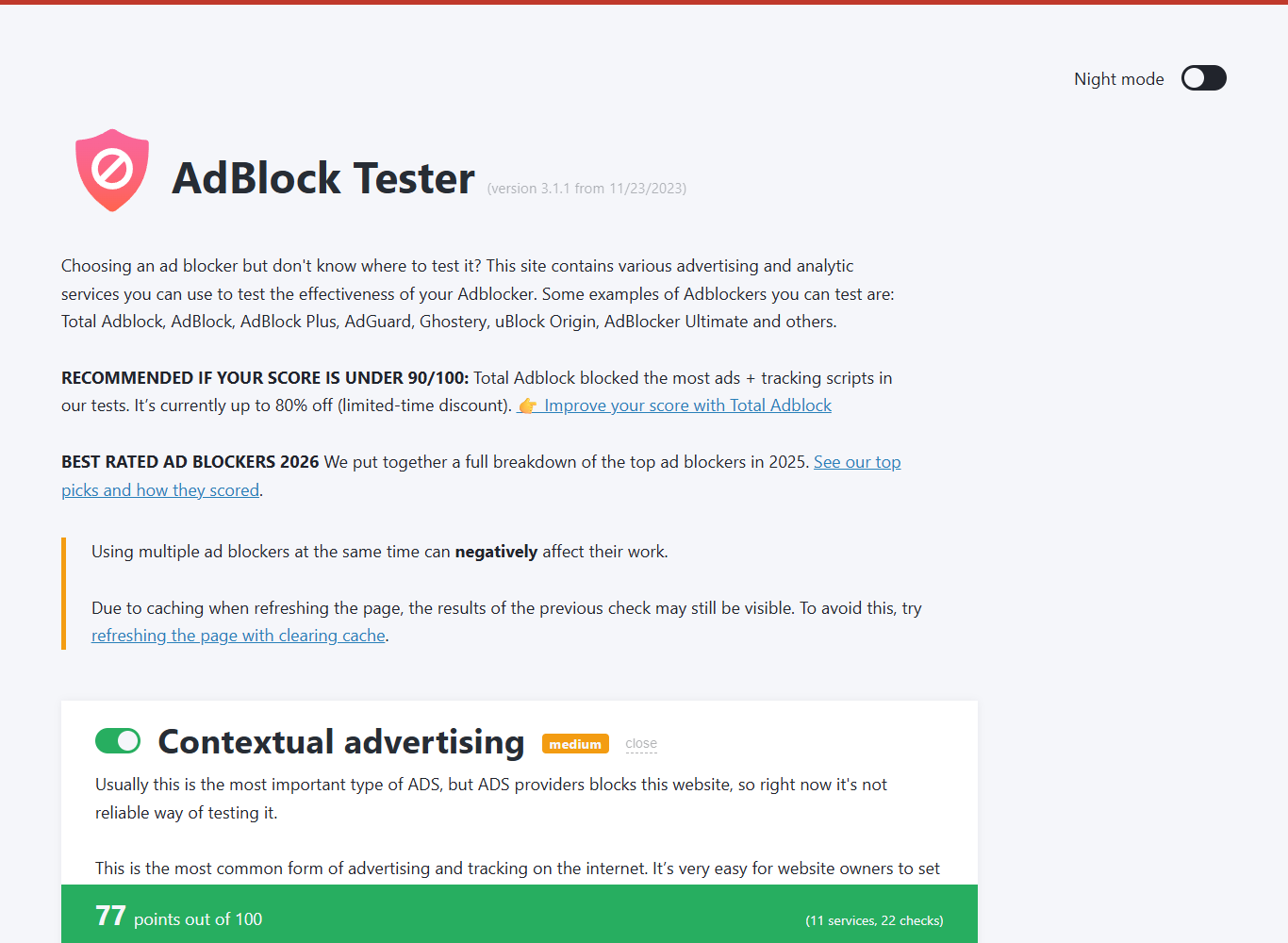
So why is AdGuard our top pick and not uBlock? Because this test only sees one desktop browser — which is exactly uBlock's ceiling. AdGuard's paid apps block ads everywhere else too: on your phone, inside other apps, across a whole device. If your world is one desktop browser, the free pick that blocks the most is uBlock Origin. If it includes a phone, AdGuard's reach is the whole point. (Browser tests are noisy and AdGuard's default-config score rises with more filters enabled — we treat it as one signal, not the verdict. Full method in our AdGuard review.)
Weigh everything that matters — blocking plus coverage, cross-browser reliability, ease and value — and the picture flips: AdGuard rates 8.6/10 to uBlock's 6.3/10 on our weighted scorecard — one measured factor (the 96-vs-77 block test) plus four editorial ones — because a tool that can't run on Chrome or a phone loses where it counts for most people. See the full scorecard →
Ad blockers compared
| Tool | Best for | Platforms | Blocks outside the browser? | Price |
|---|---|---|---|---|
| AdGuard | Most people; mobile & whole-device | Windows, Mac, Android, iOS, browsers | Yes on Windows/Mac/Android (other apps too); on iOS, Safari + DNS only (Apple limit) | Paid (one-time or yearly) |
| uBlock Origin | Desktop browser users who want free | Firefox (best), Chromium browsers | No — browser only | Free & open-source |
| AdGuard DNS | Covering every device on a network | Any device (set at DNS level) | Yes — network-wide (no in-page cosmetic fixes) | Free tier; paid for more |
| Brave (built-in) | People who want blocking baked into the browser | Windows, Mac, Linux, Android, iOS | No — only Brave's own browser | Free |
Browser extensions for AdGuard are also free; the paid AdGuard apps are what add system-wide and in-app blocking.
1. AdGuard — best for most people
Top pickMost ad blockers only work inside one web browser. AdGuard is different: its desktop and mobile apps filter traffic for your whole device — so ads and trackers are blocked in your browser and in other apps, games and even some smart-TV companion apps. That, plus a genuinely simple setup, is why it's our pick for the widest range of people.
It runs on Windows, macOS, Android and iOS. There are also free AdGuard browser extensions if you only need in-browser blocking, but the paid apps are where it pulls ahead — particularly on phones, where browser extensions can't reach in-app ads.
What we like
- + System-wide blocking, not just in one browser
- + Reaches in-app ads on Android; on iOS, Safari + DNS only (Apple blocks full in-app filtering)
- + One-time "Lifetime" license available — no forced subscription
- + Easy enough for non-technical users to set and forget
Worth knowing
- − It's paid (though often discounted)
- − For desktop-browser-only use, free uBlock Origin blocked more in our test
- − To filter beyond the browser it installs a local root certificate to inspect your HTTPS traffic — a real trust decision (we explain it)
- − System-wide filtering is more than light users strictly need
Pricing. AdGuard comes in Personal (3 devices) and Family (9 devices) tiers — from $2.49/mo (Personal, billed yearly) or a one-time $79.99 Lifetime license. The Lifetime option is the value play: pay once and never renew, so the longer you keep it the less it works out to per month. AdGuard runs frequent, deep promotions that move the exact price, so confirm the live figure at checkout — and either way a 30-day money-back guarantee (per AdGuard's Terms of Sale) lets you try it risk-free.
Who it's for. Anyone who wants ads gone everywhere — especially on phones, or across a household of mixed devices — without fiddling with browser settings.

2. uBlock Origin — best free ad blocker
If you mostly browse on a desktop, you may not need to pay anything. uBlock Origin is a free, open-source browser extension that blocks ads and trackers extremely well while using very little memory. It's the tool we recommend to anyone who wants a no-cost option and is comfortable living inside one browser.
The one catch is the browser. uBlock Origin runs at full strength on Firefox (and, for now, Edge, which lagged Chrome's timeline — confirm for your own browser). Google's Manifest V3 change removed full uBlock Origin from Chrome, where you're now limited to the lighter uBlock Origin Lite. This cuts both ways: AdGuard's own browser extension is bound by the identical MV3 limits on Chrome — what sidesteps MV3 is AdGuard's standalone app, which filters outside the browser entirely. That, not its extension, is the real Chrome argument for AdGuard. uBlock also only blocks inside the browser — not in other apps or on your phone.
What we like
- + Completely free and open-source
- + Excellent blocking, very light on resources
- + No account, no upsells
Worth knowing
- − Browser only — nothing outside it
- − Best on Firefox; limited on Chrome (MV3)
- − No mobile app blocking
See the full breakdown in AdGuard vs uBlock Origin — or, for YouTube specifically, how to block YouTube ads.
3. AdGuard DNS — best for the whole home
Want every device on your network covered at once — phones, tablets, the TV — without installing anything on each one? A blocking DNS service like AdGuard DNS (or NextDNS) does exactly that. You point your router or device at it, and ad and tracker domains get blocked at the network level. There's a free tier that's plenty for most homes. Full guide: AdGuard DNS & DNS-level blocking →
The trade-off: DNS blocking can't do the in-page "cosmetic" cleanup an app or extension does, so the occasional empty ad slot may remain. It pairs perfectly with AdGuard or uBlock Origin on your main devices.
4. Brave — blocking built into the browser
If you're happy to switch browsers, Brave ships with ad and tracker blocking turned on by default. It's a solid, free, zero-setup option. The catch: it only protects you while you're using Brave, and switching browsers is a bigger ask than adding an extension or app.
Ad blocking by platform
The right blocker depends on your device — each has its own rules and best pick:
How to choose in 30 seconds
- You want ads gone across your devices — including in-app ads on Android → AdGuard (on iPhone, Apple limits any tool to Safari + a DNS profile).
- You only browse on a desktop and want free → uBlock Origin (in Firefox).
- You want to cover every device in the house at once → AdGuard DNS.
- You'd happily switch browsers for zero setup → Brave.
- You're on iPhone → AdGuard's Safari content blocker plus its DNS profile is the most you can do inside Apple's limits. (iPhone guide.)
How we tested
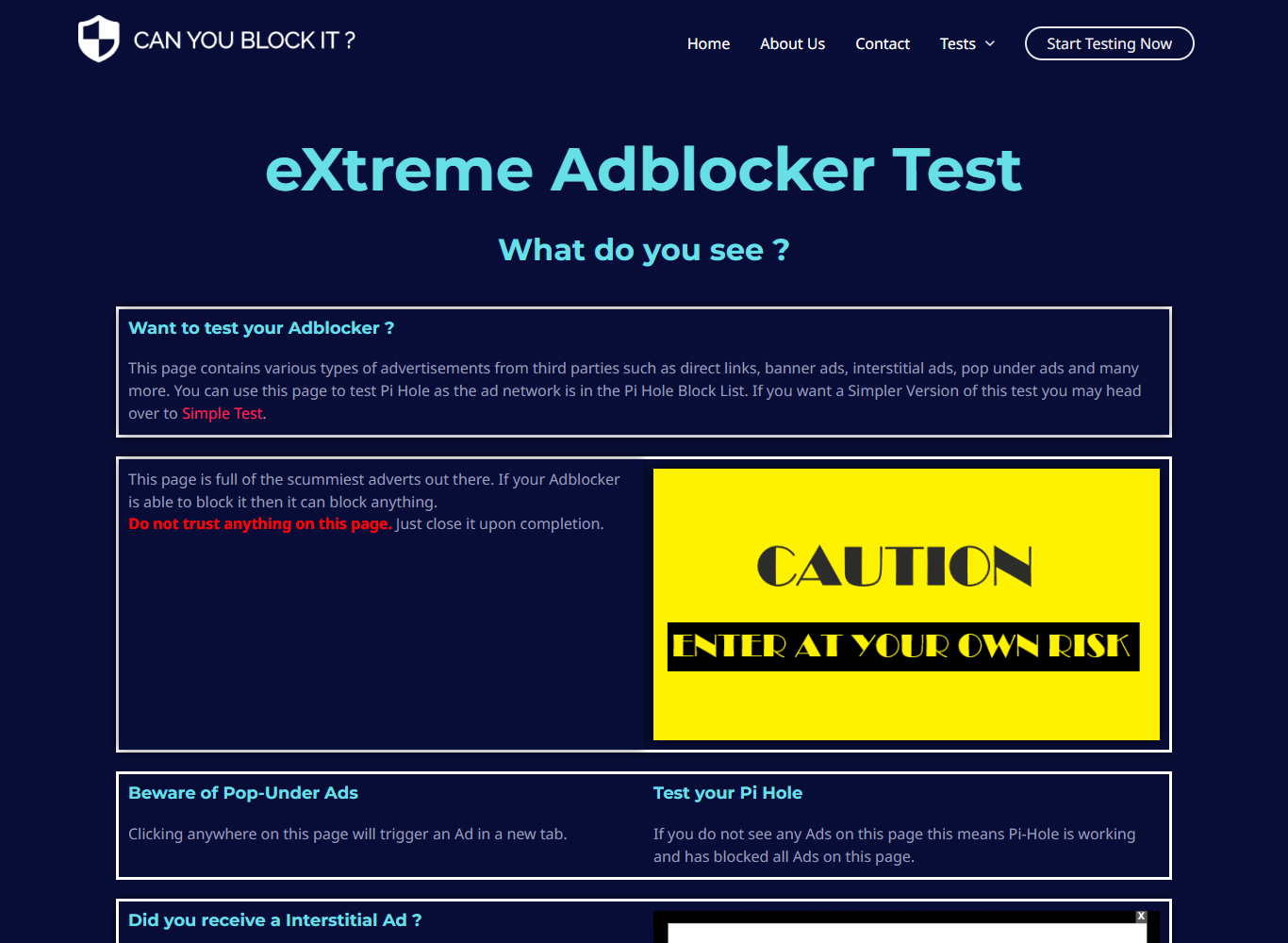
For the two blockers we could measure directly — the AdGuard and uBlock Origin browser extensions — we ran a repeatable harness: each one in Microsoft Edge (headless), each blocker in default config, 30-second filter-list warm-up, identical pages, through AdBlock Tester (adblock-tester.com) and Can You Block It's eXtreme page, against a no-extension control, on June 8, 2026. The scores and screenshots above are that test. What we don't claim as first-hand: we did not run the paid AdGuard apps, AdGuard DNS or Brave through a device test — system-wide, in-app and mobile blocking can't be measured by a browser harness, so for those we report from vendor documentation, consistent user reports and reputation (Trustpilot, refund terms), clearly labelled as such. Our criteria are in How We Review.
FAQ
Ad blocker questions, answered
What's the best ad blocker overall?
For most people, AdGuard — it blocks ads and trackers system-wide (in browsers and other apps) on Windows, Mac and Android, and it's easy to set up. iPhone is the exception: Apple limits every tool to Safari plus a DNS profile, so no app does full in-app blocking on iOS. If you only browse on a desktop and want a free option, uBlock Origin is excellent.
Is a free ad blocker good enough?
Often, yes. uBlock Origin blocks the vast majority of ads inside your browser at no cost. You'd move to a paid app like AdGuard when you want blocking outside the browser too — in other apps, on mobile, or across a whole device.
Do ad blockers also stop tracking?
The good ones do. Blocking ad and tracker domains stops a large share of the scripts that profile you across sites. It isn't a complete privacy solution, but it's the single highest-impact step most people can take in an afternoon.
Will an ad blocker break websites?
Occasionally. Some sites detect blockers or rely on scripts that get caught. Every tool we recommend lets you allow-list a site in one click, so you can make exceptions for pages you want to support.
Are ad blockers legal?
Yes. Choosing what your own browser and device load is entirely legal. Some sites may ask you to allow ads or subscribe, which is their right too.
Will it block YouTube ads?
Mostly — with a caveat, and the caveat comes from YouTube itself: its own help page says that if you keep using an ad blocker it may block your video playback, so treat this as a moving target rather than a settled feature. On the desktop, AdGuard states that as long as its protection is on it blocks YouTube ads on Chrome, Firefox, Edge, Safari and Opera. The phone app is the harder case: a browser extension can't reach it at all, and AdGuard's own documentation says Android's technical restrictions mean ads can't be removed completely there — it publishes two workarounds instead. Our dedicated YouTube guide covers them.
What about AdBlock Plus or Total AdBlock?
We don't recommend either as your main blocker. AdBlock Plus (and the similarly-named AdBlock) run a paid "Acceptable Ads" allowlist that's on by default, so some ads get through unless you change the setting. Total AdBlock is an aggressively-marketed paid subscription, not the free tool many people assume it is. The picks on this page block by default and don't run a paid allowlist.
Ready to block ads everywhere?
AdGuard is our pick for the most people — one app, every device, with a 30-day money-back guarantee so you can try it risk-free. Check the current price, or read our full review first.