Review · Ad blockers
AdGuard review (2026)
We ran AdGuard's free browser extension through standard ad-blocker tests, and dug into the paid apps' system-wide claims. The honest picture: AdGuard's extension didn't win our in-browser test — but that's not why you'd pay for it. Here's what it does, what it costs, and who it's for.
Last updated: July 10, 2026 · tested June 8, 2026. Browser extension tested by the Privacy Intact team with our automated harness; paid apps assessed from vendor documentation and user reports (not device-tested).
Verdict
Recommended — best all-rounderBuy AdGuard if you want ads gone everywhere — in your phone's apps, across a whole device, for less-technical family members — with a one-time payment. Skip it if you only browse on a desktop and use Firefox, where free uBlock Origin blocks more at no cost. AdGuard's money's worth is reach, not a browser-test score.
Mobile + mixed devices, non-technical users
77/100 (uBlock: 96) — 1 of 5 rated factors
One-time Lifetime or yearly; varies by promo — check live
Our 8.6/10 weighs blocking power, coverage (phone/in-app/whole-device), cross-browser reliability, ease and value — strong all-around, held back only by being paid and losing the raw browser test to free uBlock. Full breakdown in AdGuard vs uBlock Origin.
Check the current priceThis link goes to AdGuard's ad blocker — not the separately sold AdGuard VPN.
How we tested (and what it can't show)
On June 8, 2026 we ran AdGuard's free browser extension (default settings) and uBlock Origin (default settings) through two public ad-blocker tests, in headless Microsoft Edge, under identical conditions, against an Edge-only control. Two honest limits up front: (1) this measures in-browser blocking only — AdGuard's paid apps do more, but can't be measured this way, so we assess them from documentation and user reports, not our own device test; (2) AdGuard ships a default filter set you can expand, and enabling more filters raises its score.
Our results — read them with a grain of salt
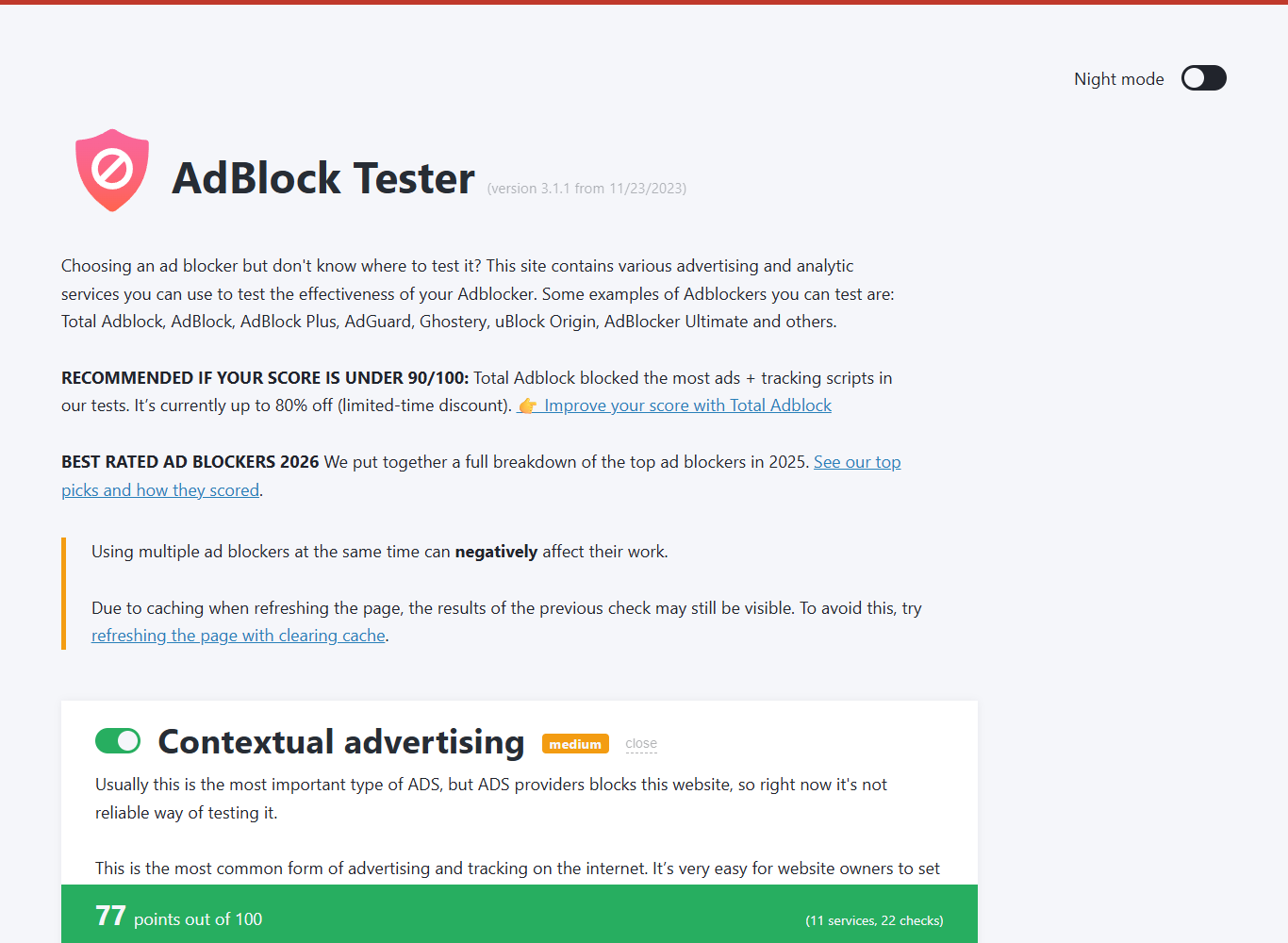
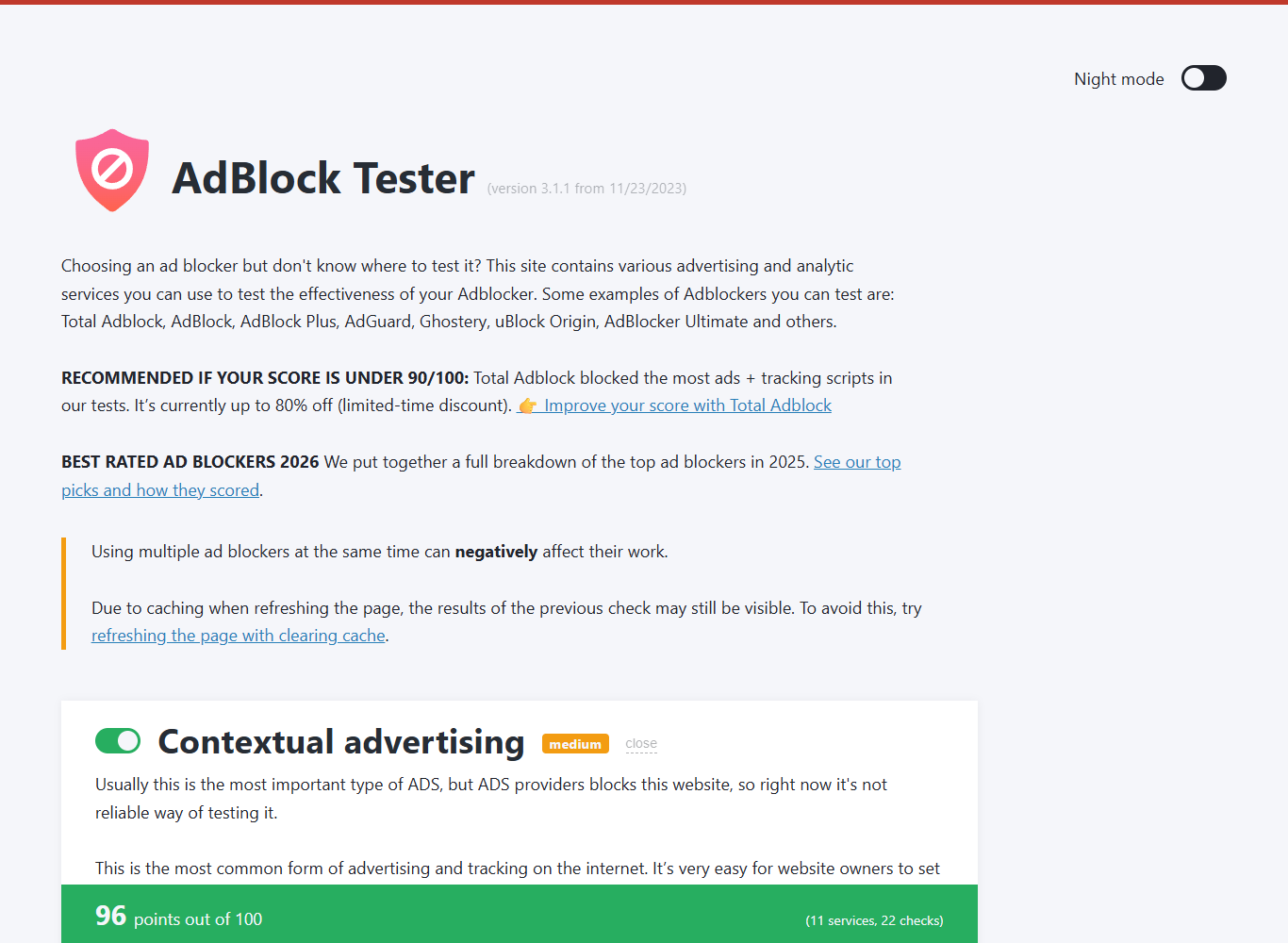
On AdBlock Tester: AdGuard's extension scored 77/100 and uBlock Origin scored 96/100. The control — Edge with no extension at all — already blocked a meaningful chunk on its own, because Edge's built-in tracking prevention is on by default. That's the important caveat: this tester is a rough discriminator, not a precise ranking, and AdGuard's default-config 77 would climb with more filters enabled. So read the gap as "uBlock edges AdGuard's extension in default config," not "uBlock is 19% better."
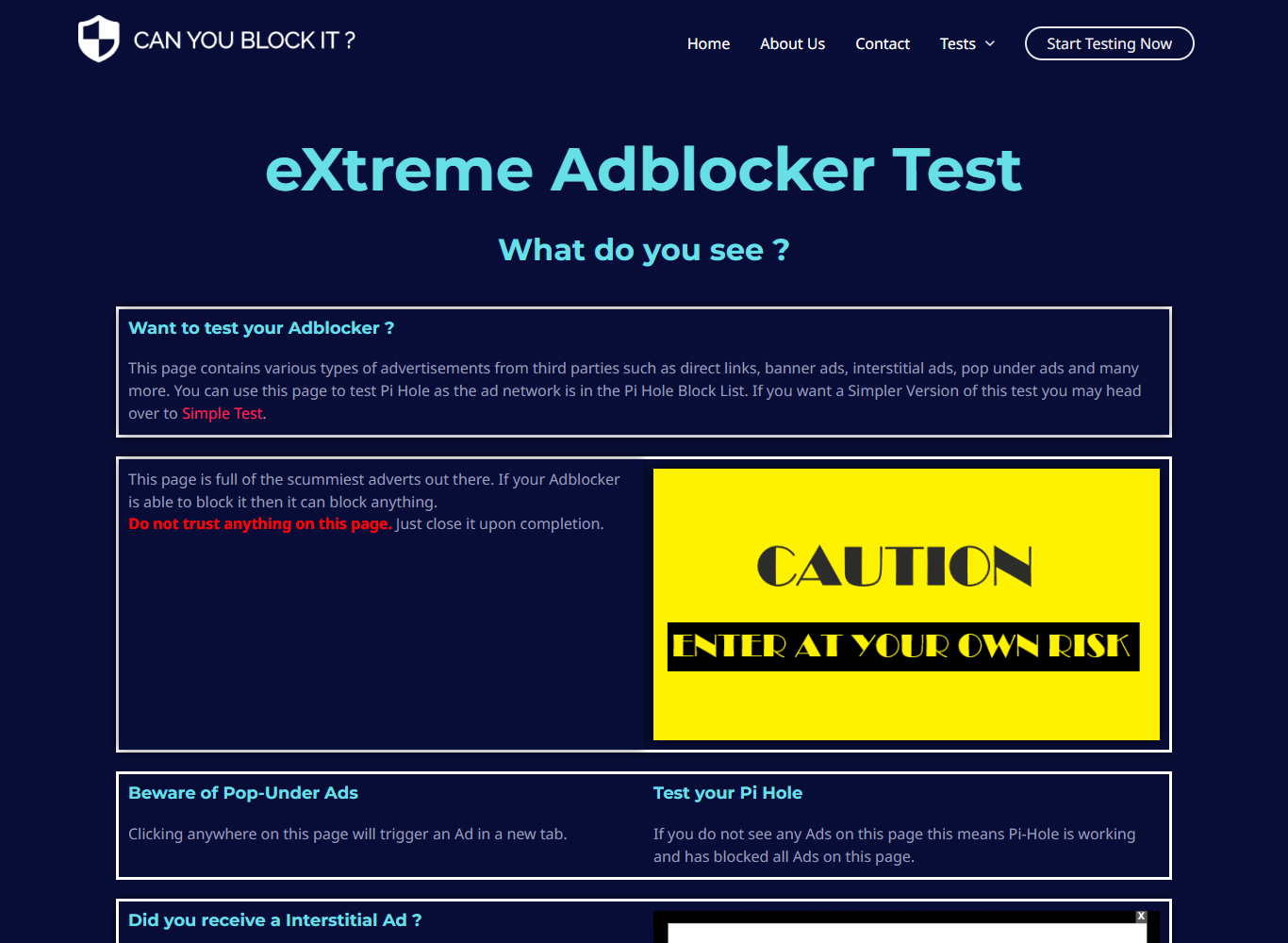
The cleaner test was Can You Block It's "eXtreme" page — full of the aggressive interstitials and pop-unders that actually ruin browsing. There it's pass/fail, and AdGuard passed: the intrusive ad that fills the page with no blocker was simply gone.

Test conditions: Microsoft Edge (headless), each blocker in default config with a 30-second filter-list warm-up, identical pages, June 8, 2026. Browser ad-blocker tests are inherently noisy; we treat them as one signal, not the verdict.
What you get for free
Before paying, know your free options. AdGuard offers free browser extensions (in-browser only, like the one we tested) and a free trial of the paid apps, so you can try the system-wide version before buying. And the strongest free in-browser blocker isn't AdGuard at all — it's uBlock Origin (best on Firefox). You'd pay AdGuard specifically for what's below.
So why pay for AdGuard? (system-wide)
uBlock Origin only works inside one desktop browser. AdGuard's paid apps filter your whole device: ads and trackers are blocked in your browser and in other apps and games. Per AdGuard's documentation, it works system-wide on Windows, macOS and Android; on Android it can reach in-app ads a browser extension can't. On iPhone, the rules are tighter: Apple blocks system-wide filtering, so AdGuard there is limited to Safari plus a DNS profile. That DNS profile still blocks many in-app ads — it stops ad and tracker domains from resolving across the whole phone — but it can't strip ads served from the content's own domain, or do the in-page cosmetic cleanup the full app manages elsewhere. We didn't run the apps through a device test, so we report all of this from AdGuard's docs and consistent user reports, not as our own measurement.
The Chrome / Manifest V3 angle
The biggest recent shift in ad-blocking is Google's Manifest V3: Chrome retired the older extension framework, full uBlock Origin was pulled from the Chrome Web Store, and on Chrome you now get only the lighter uBlock Origin Lite. Full uBlock Origin still runs on Firefox — and Edge, which lagged Chrome's removal timeline, still allowed it at the time of writing (Edge follows Chromium, so confirm for your browser). Important nuance, because it's the hinge of this whole comparison: MV3 limits every Chrome/Edge extension — including AdGuard's own browser extension. What escapes MV3 is AdGuard's standalone app, which filters outside the browser. So MV3 is an argument for AdGuard's app, not its extension. (This space moves fast — confirm the current state for your browser.)
How it works — and the privacy trade-off
To filter beyond the browser, AdGuard has to see your traffic, and it does this differently per platform: a low-level network driver on Windows, a network extension on macOS, and a local VPN service on non-rooted Android. In each case it installs its own root certificate to inspect encrypted (HTTPS) connections locally. That's the mechanism that makes system-wide blocking possible — and the main thing to weigh: you're trusting AdGuard to handle decrypted traffic on-device, and apps using certificate pinning will bypass it. It's a standard design for system-wide blockers, but it's a real decision, not a detail.
Pricing & licenses
AdGuard sells the ad blocker two ways — a recurring yearly plan or a one-time Lifetime license — each in a Personal (3 devices) and Family (9 devices) tier, per AdGuard's license page (verify current terms at checkout). We're deliberately not printing an exact dollar figure: AdGuard runs frequent, deep promotions and the live price swings with them, so a number quoted in a review is stale the day a sale starts — check the price at checkout. One thing that is stable and worth knowing: AdGuard backs direct purchases with a 30-day money-back guarantee, so you can buy the system-wide app, actually test it on your devices, and get a refund inside two months if it disappoints. Lifetime is the tier we'd point most people to: pay once, no renewals — and if you choose the yearly plan instead, treat it like any subscription and note the renewal date, since it bills again until you cancel. Either way, one-time Lifetime sidesteps the cheap-intro-then-expensive-renewal trap of bundled rivals.
Privacy & company background
AdGuard is operated by a Cyprus-based company (AdGuard Software Limited, Limassol); its founders are originally from Russia and relocated — a point some privacy-focused users weigh. Several components are open-source. On reputation, AdGuard sits at about 4.4/5 on Trustpilot — roughly 9,000+ reviews, ~86% five-star — as of mid-2026 (check the current figure; its own on-site widget advertises a higher self-reported number, which isn't a third-party rating). Read its current privacy policy and make your own call.
Pros and cons
Pros
- + System-wide blocking — browsers and other apps
- + Reaches in-app ads on Android (per AdGuard's docs & user reports)
- + The standalone app isn't limited by Chrome's Manifest V3
- + One-time Lifetime license; cleared our eXtreme interstitial test
Cons
- − Free uBlock Origin scored higher in our in-browser test (default config)
- − Installs a local root certificate to inspect HTTPS (a trust decision)
- − On iPhone, in-app blocking is domain-level only (a DNS profile) — no system-wide filtering like Android
- − Paid; company origins are a consideration for some
Who should buy AdGuard — and who shouldn't
Buy it if you want ads gone on your Android phone and inside apps, you manage devices for family members, or you want one tool covering everything with a single payment.
Skip it if you only browse on a desktop — especially on Firefox, where free uBlock Origin runs at full strength and scored higher in our test, at no cost. (On Chrome you'd get only uBlock Origin Lite, which is one reason a system-wide tool like AdGuard can make sense there.) And if you're an iPhone-only user hoping to wipe out ads inside other apps, temper expectations: iOS allows no system-wide filter, so the most any tool (AdGuard included) can do is block ad domains through a DNS profile — effective on many in-app ads, but not the full in-app cleanup you'd get on Android.
FAQ
AdGuard questions, answered
Is AdGuard better than uBlock Origin?
For pure in-browser blocking, not necessarily: in our test, the free uBlock Origin scored higher than AdGuard's free extension (default settings). But uBlock only works inside a desktop browser — and on Chrome it's now limited to the lighter uBlock Origin Lite (full uBlock Origin still runs on Firefox; Edge lagged Chrome's timeline and still allowed it at the time of writing). AdGuard's paid apps block ads system-wide, in other apps and on phones, which uBlock can't do at all. Choose AdGuard for coverage beyond the browser, not for a higher score on a browser test.
Does AdGuard have a one-time payment?
Yes. Alongside yearly plans, AdGuard sells a one-time Lifetime license in two tiers — Personal (3 devices) and Family (9 devices). We deliberately don't quote an exact dollar figure: AdGuard runs frequent, deep promotions, so any price printed in a review is stale the day the next sale starts — check the live number at checkout. What is stable and worth knowing: AdGuard backs direct purchases with a 30-day money-back guarantee, so you can buy the paid app, test it on your own devices, and get a refund inside two months if it's not for you.
How does AdGuard block ads in other apps?
It depends on the platform. On non-rooted Android it runs a local VPN service on your device; on Windows it uses a low-level network driver; on macOS a network extension — and in each case it installs its own certificate to filter encrypted (HTTPS) traffic locally. That's what lets it block beyond the browser. iOS is the exception: Apple won't allow that kind of system-wide filtering, so on iPhone AdGuard is limited to Safari plus a DNS profile. The DNS profile still does real work — it blocks ad and tracker domains across the whole phone, including many ads inside other apps, by refusing to resolve them — but it can't remove ads served from the content's own domain, and it can't do the in-page cosmetic filtering the full app does on other platforms.
Is AdGuard safe and private?
AdGuard filters traffic on your device and several components are open-source. Two things to weigh: it installs a local root certificate to inspect HTTPS (a real trust decision), and the company's founders are originally from Russia (it's now Cyprus-based). We cover both below so you can decide for yourself.
Want ads gone on every device?
That's AdGuard's job — one app, system-wide, one payment. Desktop-only on Firefox? Grab free uBlock Origin instead; we'll always tell you straight.